> For the complete documentation index, see [llms.txt](https://docs.timeinpixels.com/llms.txt). Markdown versions of documentation pages are available by appending `.md` to page URLs; this page is available as [Markdown](https://docs.timeinpixels.com/nobe-omniscope/qc/hdr-statistics-maxfall-and-maxcll.md).
# HDR Statistics (MaxFall & MaxCLL)
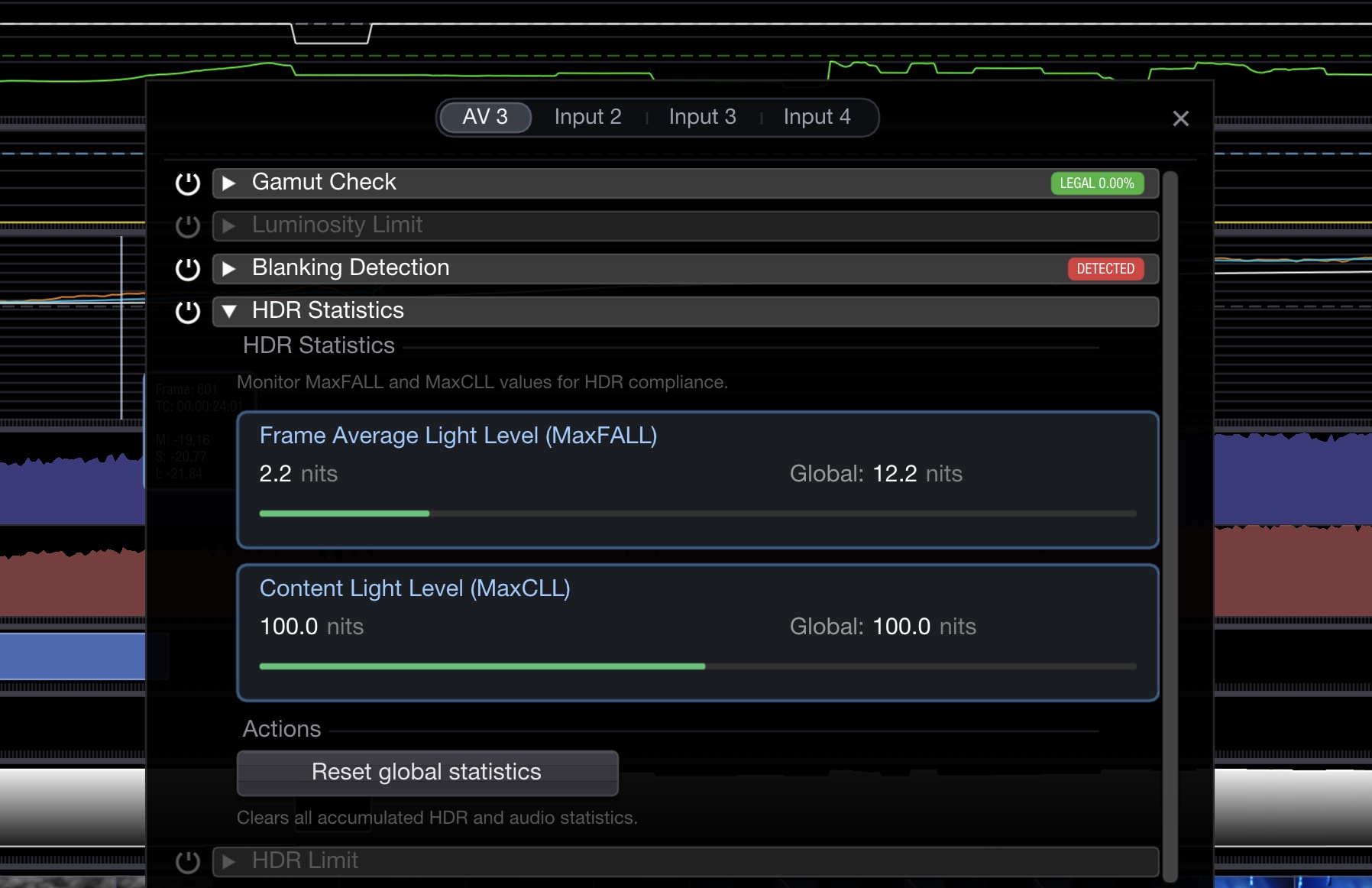
Nobe OmniScope can calculate **MaxCLL** (Maximum Content Light Level) and **MaxFALL** (Maximum Frame Average Light Level) HDR statistics in real time — the two numbers CTA-861.3 requires every HDR10 / HDR10+ / Dolby Vision deliverable to carry as static metadata.
* **MaxCLL** — the luminance of the single brightest pixel seen across the entire content, in nits
* **MaxFALL** — the luminance of the frame whose mean is highest across the entire content, in nits
The HDR Stats view shows both the current frame's values and the running global maxima. The application accumulates statistics as long as the input signal is live, and updates the graph frame by frame.
You can define the mastering level which will be displayed as a target line in the graph — e.g. the 1 000 nit or 4 000 nit peak of the mastering display actually used on the job.
You can also select the EOTF and color space — Gamma SDR, Gamma HDR (Rec. 2020, P3-DCI, or P3-D65), PQ ST 2084, or HLG. The signal is decoded through the selected inverse EOTF before luminance is measured, so picking the correct transfer function is essential: reading a PQ signal as if it were SDR gamma will produce meaningless numbers.
HDR Statistics showing MaxFALL and MaxCLL
## Settings
{% hint style="info" %}
Available since version **1.11.38**.
{% endhint %}
### Measurement Mode
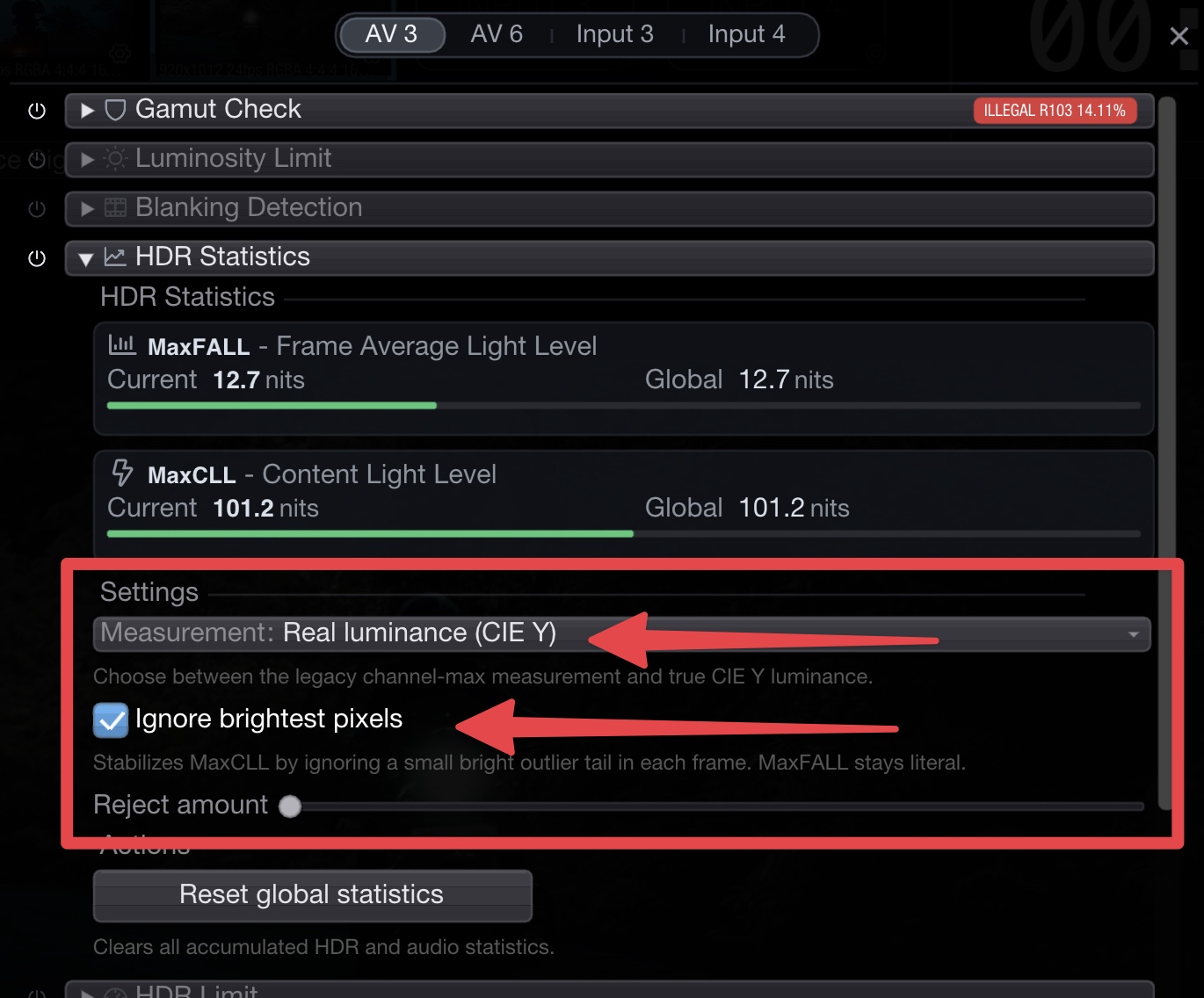
The industry never settled on a single way to collapse an RGB pixel to a single "luminance" number for MaxCLL / MaxFALL, so OmniScope offers both:
* **Max RGB (legacy)** — after decoding through the inverse EOTF, take `max(R, G, B)` as the pixel's light level. This is what Dolby's original analysis tool used and what most legacy HDR10 mastering tools still use. It is conservative: it reports the brightest channel, not the perceived brightness, so a pure saturated color reads higher than its perceptual equivalent.
* **Real luminance (CIE Y)** — after decoding through the inverse EOTF, compute the weighted sum `Y = 0.2627·R + 0.6780·G + 0.0593·B` (Rec. 2020 coefficients) to get true photometric luminance. This matches how human vision weights the three channels and produces lower readings for saturated colors than Max-RGB.
Check the delivery spec — different streamers accept different conventions, and the same content can pass or fail depending on which method was used to generate the metadata. Dolby Vision L1 analysis historically uses Max-RGB-derived values; some Netflix / Apple TV+ pipelines prefer CIE Y.
### Ignore Brightest Pixels
When enabled, a small percentage of the brightest pixels in each frame is excluded from the **MaxCLL** calculation. This helps stabilize the reading by removing hot-pixel outliers or specular highlights that can cause spikes.
Use the **Reject amount** slider to control how much of the bright tail to discard (from 0.001% to 1%, logarithmic scale). **MaxFALL** is not affected by this setting and always reflects the literal frame average.
HDR Statistics settings — measurement mode and peak rejection