> For the complete documentation index, see [llms.txt](https://docs.timeinpixels.com/llms.txt). Markdown versions of documentation pages are available by appending `.md` to page URLs; this page is available as [Markdown](https://docs.timeinpixels.com/nobe-omniscope/sources.md).
# Sources
Connect SDI capture devices, network feeds and software sources for video scope monitoring.
OmniScope supports a wide range of input sources. Use the **Connect to** dialog (**Input > Connect to...**) to browse and connect available sources.
Hardware I/O sources documented here include **DeckLink / UltraStudio**, **AJA**, and **DeltaCast** SDI capture devices, alongside software and network inputs such as NDI, OFX, SRT, FFmpeg, and file-based sources.
For camera shading in OB trucks, studios and flypacks, see [OB and live broadcast monitoring](/nobe-omniscope/outside-broadcast.md) for source setup, camera matching and pre-show checks.
## Automatic color settings detection
Enable **Automatic color settings detection** under **Input Settings > Quick setup** to use color-space and transfer-function metadata reported by the source. In version **1.11.61+**, detection also updates paused and single-frame sources immediately and selects the matching nits scale for PQ or HLG. SDR sources keep the selected SDR scale.
## Accsoon SeeMo beta on iPad
{% hint style="warning" %}
**BETA** - Accsoon SeeMo capture is available in the SeeMo-enabled Nobe OmniScope for iPad TestFlight beta. It is not part of the standard App Store build.
{% endhint %}
Connect a powered original SeeMo with an HDMI signal, then choose **HDMI Capture > Accsoon SeeMo**. If the Accsoon app opens when you connect USB, return to OmniScope. The beta has been validated with 1920 × 1080 H.264 video at 50 fps on the original SeeMo. Audio capture is not supported.
## Live Processing Rate
In OmniScope 1.11.55 and later, live sources provide an **Analysis rate** setting under **Input Settings > Common > Live processing**. The default **Adaptive (60 / 30 / 15 fps)** mode favors the newest frame and lowers the analysis rate when the system is under load, then raises it again when performance recovers. The input signal format and source frame rate are unchanged.
You can also choose:
* **Source rate - low latency**
* **30 fps maximum**
* **15 fps maximum**
* **Buffered (previous behavior)**
{% hint style="warning" %}
QC checks and recordings use the sampled video from a live source. A lower or adaptive analysis rate can miss brief events; use file analysis when every frame must be checked.
{% endhint %}
## Favourite Sources
{% hint style="info" %}
Available in version **1.11.37+**
{% endhint %}
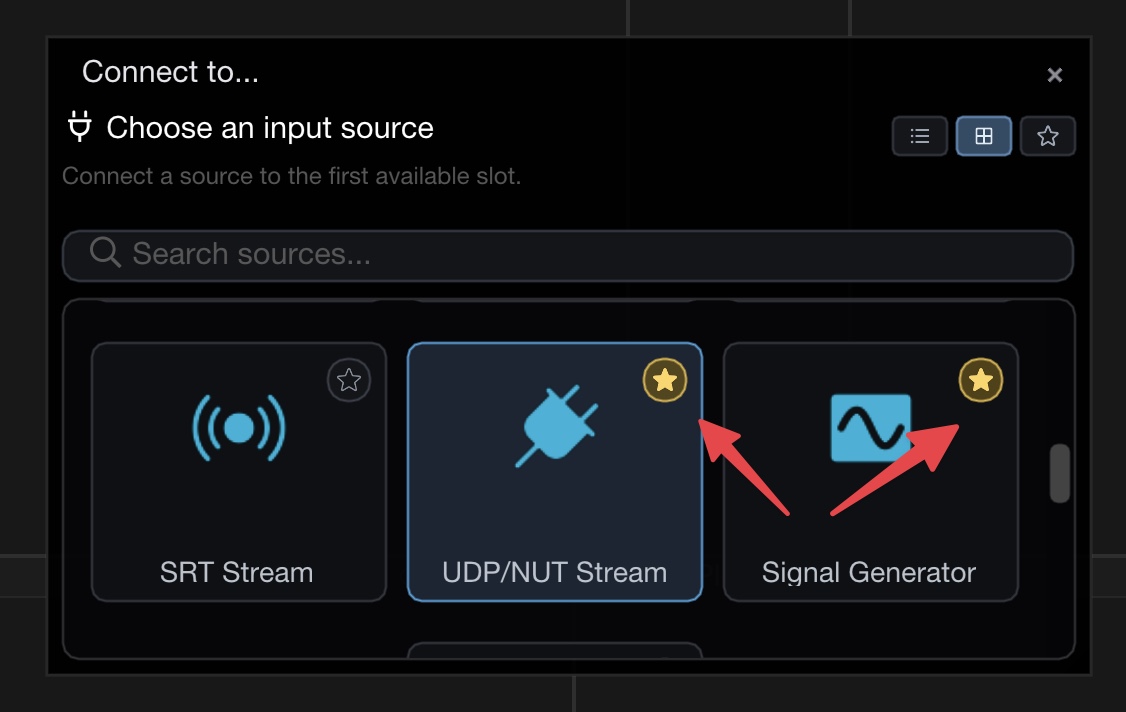
You can mark frequently used sources as favourites for quick access. Click the star icon on any source in the **Connect to** dialog to add it to your favourites. Favourited sources are highlighted with a golden star.
Star icon on source tiles to mark favourites
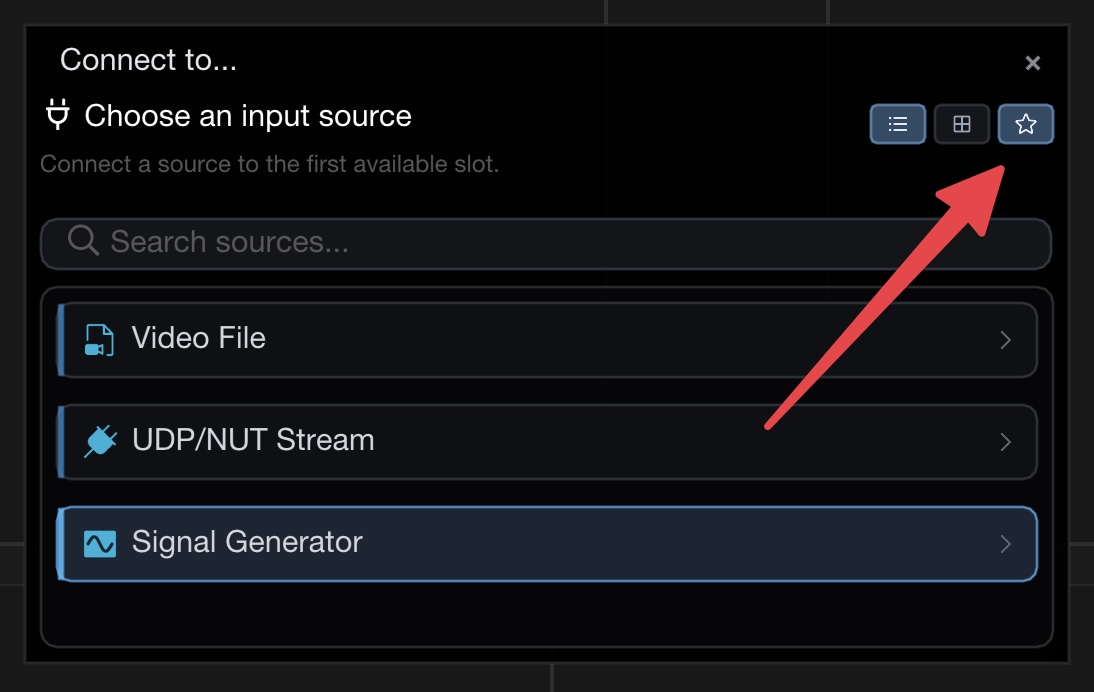
Use the star toggle button in the top-right corner of the dialog (next to list/tile view buttons) to filter the list and show only your favourite sources. This is especially useful when you have many sources available and want to quickly connect to the ones you use most often.
Star filter button shows only favourite sources
Favourites and the filter state are remembered across sessions.