> For the complete documentation index, see [llms.txt](https://docs.timeinpixels.com/llms.txt). Markdown versions of documentation pages are available by appending `.md` to page URLs; this page is available as [Markdown](https://docs.timeinpixels.com/nobe-omniscope/scopes/twinpeaks.md).
# TwinPeaks
{% hint style="info" %}
This scope requires a **Pro** license.
{% endhint %}
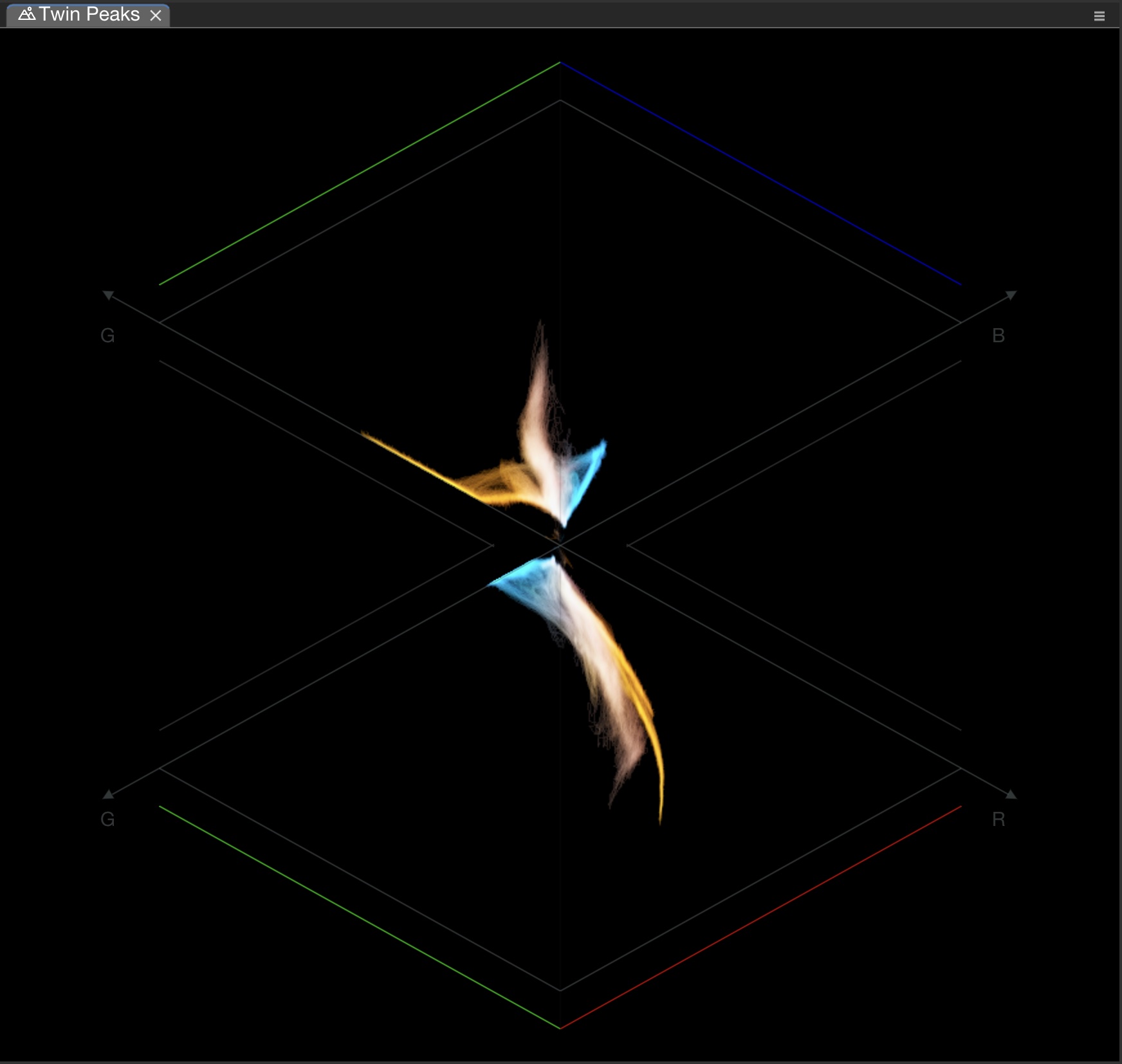
TwinPeaks is a diamond-style RGB channel relationship scope. It is inspired by the double-diamond displays used in broadcast waveform monitors and helps you see how the red, green, and blue channels relate to each other across the image.
Use it for camera matching, white-balance and black-balance checks, channel imbalance diagnosis, creative grade analysis, and RGB gamut monitoring.
If you place color pins, TwinPeaks shows those sampled colors on both diamonds so you can compare the channel relationships of specific pixels directly. (1.11.52+)
TwinPeaks double-diamond display
## How It Works
TwinPeaks is built from two channel plots transformed into a double-diamond layout:
* **Upper diamond**: green / blue relationship
* **Lower diamond**: green / red relationship
The two diamonds meet at the center. When the RGB channels track closely together, the trace tends to stay narrow and centered through the diamonds. When channels separate, the trace leans, widens, or moves toward one side.
That separation can indicate a color cast, camera mismatch, white-balance offset, black-balance issue, creative channel split, or an RGB gamut excursion.
## Reading The Trace
| Trace behavior | What it can indicate |
| ------------------------------------ | ---------------------------------------------------------------------- |
| Narrow, centered trace | RGB channels are tracking closely together |
| Leaning trace | Possible channel imbalance or color cast |
| Different shape between cameras | Camera matching, shading, or color-science mismatch |
| Swept or curved trace | Creative channel separation, split-tone grading, or strong hue shaping |
| Trace outside the diamond boundaries | Possible RGB gamut excursion |
Interpret TwinPeaks together with the image and other scopes. The display makes channel relationships easier to see, but the meaning of a trace still depends on the picture content.
## Camera Matching
TwinPeaks is useful when comparing multiple cameras or live feeds. Matched cameras should produce similar trace shapes under the same lighting and subject conditions.
If one camera leans differently, offsets in part of the tonal range, or produces a noticeably wider/narrower trace than the others, it can point to:
* White-balance mismatch
* Black-balance mismatch
* RGB gain or bias difference
* Camera shading difference
* Sensor or color-science mismatch
Use TwinPeaks alongside the waveform, RGB parade, vectorscope, and picture monitor for a more complete match.
## Gamut Monitoring
The diamond boundaries act as reference limits for valid RGB channel relationships. When the trace extends outside those boundaries, that part of the signal may be outside accepted RGB gamut limits and may need correction for broadcast delivery.
TwinPeaks is especially helpful because it shows the relationship between RGB channels directly, rather than only showing luma or chroma in isolation.
## Trace Presentation
Access scope settings via the hamburger menu (☰) or right-click on the scope.
| Setting | Description |
| ------------------------ | --------------------------------------------------------------------- |
| **Flip Axes** | Swap the plotted axes to mirror the diamond layout |
| **Colorize** | Tint the trace using source color instead of drawing it monochrome |
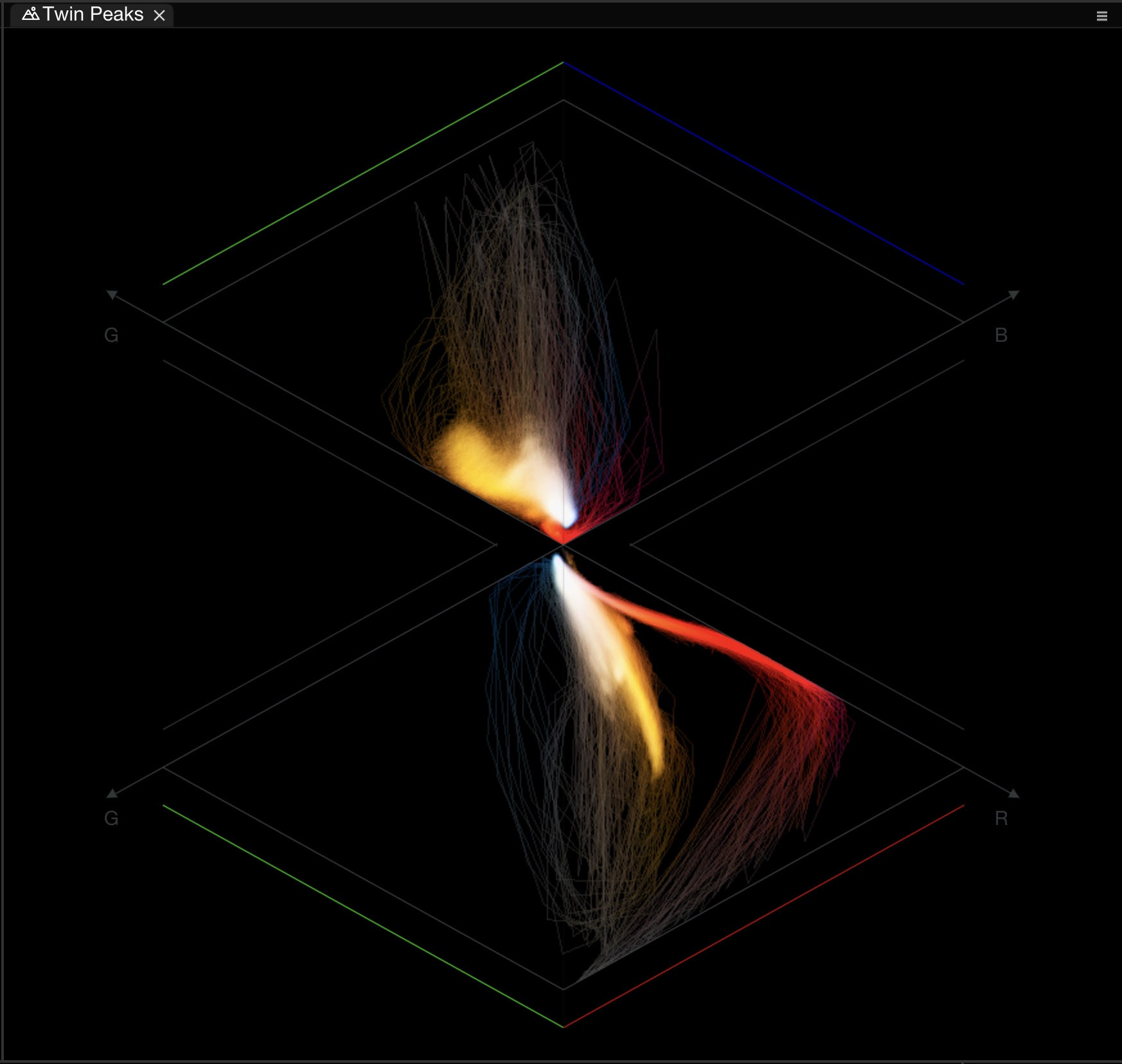
| **Enhanced Render** | Use line rendering instead of a dense point cloud |
| **Smooth Trace** | Enable the post-process pass for a smoother trace |
| **Enhance Edges** | Increase ridge contrast to make subtle trace boundaries easier to see |
| **Gain** | Adjust master trace brightness |
| **Color space override** | Override the color space used for the RGB/Y'CbCr conversion pipeline |
TwinPeaks trace presentation options
## Tips
* Use a neutral chart or controlled reference shot when matching cameras.
* Compare trace shape between sources, not just the absolute position of one trace.
* Treat strong lean or widening as a prompt to investigate channel separation, not as a final diagnosis by itself.
* Use the RGB parade to confirm which channel is high or low after TwinPeaks shows that something is separating.
* Use the vectorscope to inspect hue/saturation behavior after TwinPeaks reveals channel relationship differences.
## Related Scopes
* [Channel Plot](/nobe-omniscope/scopes/channel-plot.md) - X/Y plots of selected channel pairs
* [Waveform](/nobe-omniscope/scopes/waveform.md) - Luma, RGB, YRGB, and Y'CbCr level analysis
* [Vectorscope](/nobe-omniscope/scopes/vectorscope.md) - Hue and saturation analysis
* [Histogram](/nobe-omniscope/scopes/histogram.md) - Value distribution and clipping checks
## See It In Practice
* [How a Professional Colorist Uses Nobe OmniScope Every Day](https://timeinpixels.com/blog/how-darren-uses-omniscope) - Darren Mostyn's real-world TwinPeaks, False Color, and custom layout walkthrough