> For the complete documentation index, see [llms.txt](https://docs.timeinpixels.com/llms.txt). Markdown versions of documentation pages are available by appending `.md` to page URLs; this page is available as [Markdown](https://docs.timeinpixels.com/nobe-omniscope/scopes/hectorscope.md).
# HectorScope
HectorScope is a **3D waveform visualization** tool that displays luma and chroma information together in a three-dimensional space. Named after its creator **Hector Berebi** — a working colorist and educator who teaches color theory through historical and perceptual framings — it provides a unique perspective on your video signal.
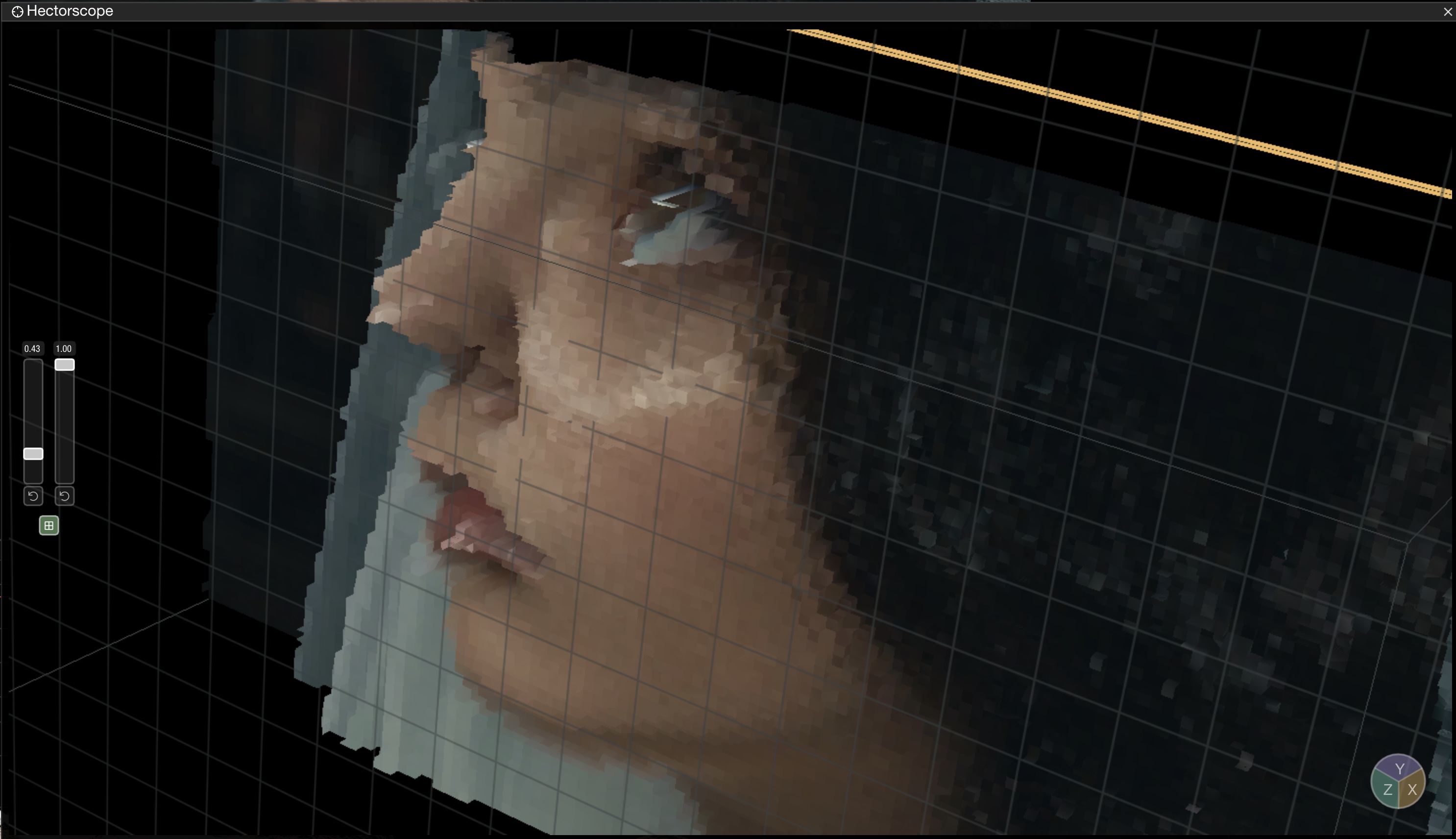
Where a classic waveform collapses the image to 2D (spatial position × level) and a vectorscope collapses it to 2D chroma (Cb × Cr), HectorScope plots all three of **Y' (luma)**, **Cb**, and **Cr** at once. Each pixel becomes a point in a 3D cube that you can rotate interactively. Patterns that are hidden in a 2D projection — a colored cast that only affects shadows, or a chroma outlier that sits inside the convex hull of the vectorscope trace — become obvious when you rotate the cube.
HectorScope — 3D waveform visualization
## Overview
Unlike traditional 2D waveforms, HectorScope renders your signal in 3D space, allowing you to:
* Visualize the relationship between luma and chroma together, not in separate scopes
* Identify color distributions that are hidden in 2D projections
* Examine shadow, midtone, and highlight regions from multiple angles
## Interface
The scope displays a 3D representation of your video signal that can be rotated and navigated interactively.
### Navigation
| Action | Control |
| ---------- | ----------------- |
| Rotate | Click and drag |
| Zoom | Mouse wheel |
| Pan | Hold Shift + drag |
| Reset view | Double-click |
## Settings
Access scope settings via the hamburger menu (☰) or right-click on the scope.
### Display Options
| Setting | Description | Default |
| ---------------------------- | --------------------------------------------------------------------------------------------------------------------------------------------------------------------------- | ------- |
| Point Size | Size of individual sample points | Auto |
| Brightness | Overall brightness of the display | 1.0 |
| Color Model | RGB or YCbCr color representation | RGB |
| Full source resolution (1:1) | Plot one unquantized 3D sample for every source pixel instead of using the reduced source image. This can significantly increase GPU load on UHD and 8K signals. (1.11.52+) | Off |
### Rotation Controls
Per-axis rotation controls allow precise orientation of the 3D view:
| Setting | Description |
| ---------- | ----------------- |
| X Rotation | Tilt up/down |
| Y Rotation | Rotate left/right |
| Z Rotation | Roll |
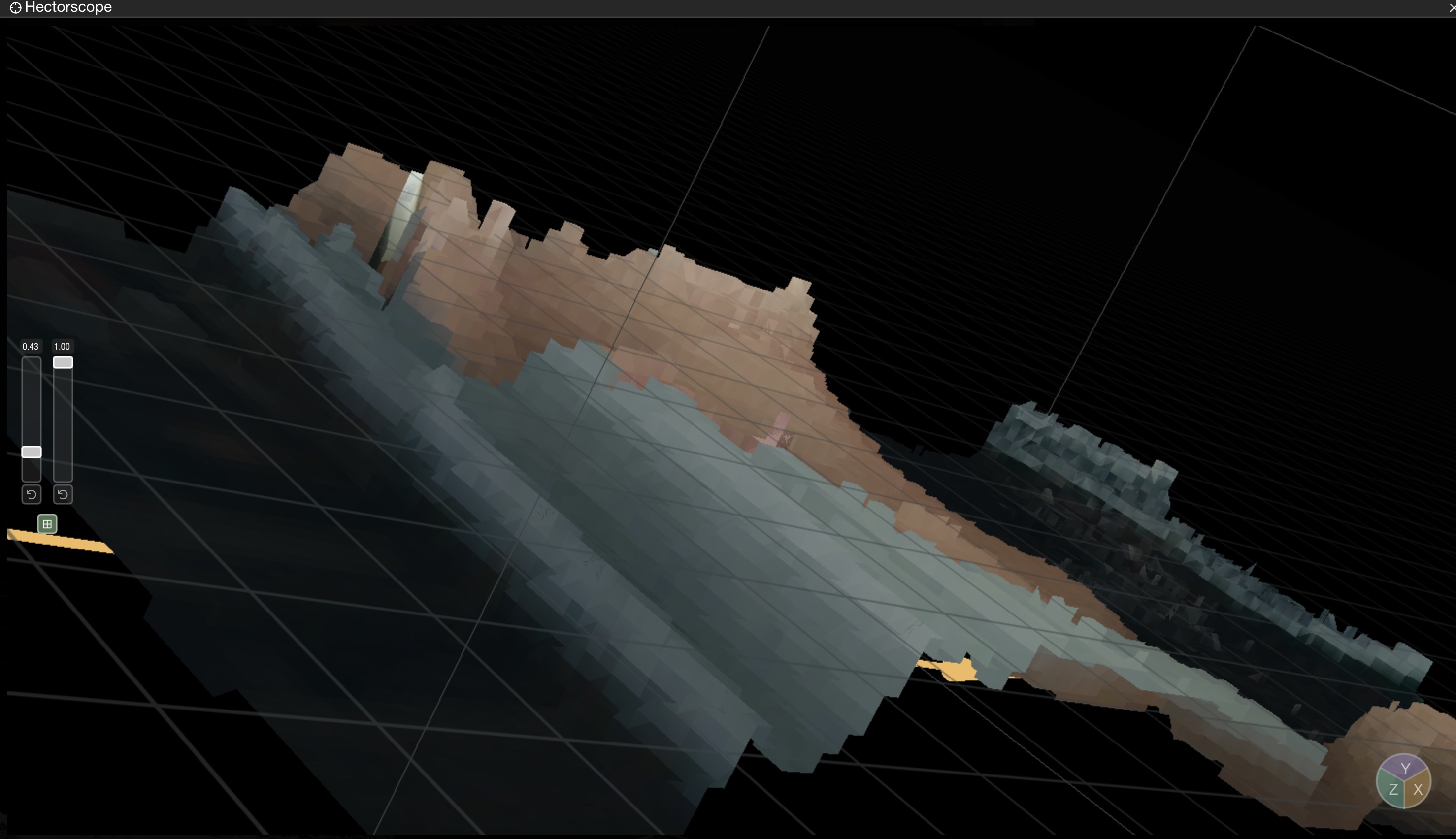
HectorScope rotated to inspect shadow detail
## Use Cases
### Shadow Detail Analysis
Rotate the view to isolate shadow regions and examine noise or color contamination in dark areas.
### Highlight Rolloff
View the transition from midtones to highlights to ensure smooth rolloff without clipping.
### Color Balance
Examine the overall distribution of colors to identify unwanted color casts across tonal ranges.
## Tips
* Use in combination with the standard Waveform for comprehensive analysis
* Double-click to reset to the default view when navigating becomes disorienting
* Reduce point size for dense signals to see structure more clearly
* Enable **Full source resolution (1:1)** when you need exact per-pixel spatial placement in 3D, then switch it back off if playback or interaction becomes heavy
## Related Scopes
* [Waveform](/nobe-omniscope/scopes/waveform.md) - Traditional 2D waveform view
* [3D Color Cube](/nobe-omniscope/scopes/3d-color-cube.md) - 3D color space visualization
* [Vectorscope](/nobe-omniscope/scopes/vectorscope.md) - 2D chroma analysis