> For the complete documentation index, see [llms.txt](https://docs.timeinpixels.com/llms.txt). Markdown versions of documentation pages are available by appending `.md` to page URLs; this page is available as [Markdown](https://docs.timeinpixels.com/nobe-omniscope/live-pack-add-on/live-pack-beta.md).
# Live Pack Setup
How to install and set up Live Pack
To get started with Live Pack, download the latest official build from the downloads page:
### Check for updates
After installing, you can check for the latest version by going to **Help / Check for Updates**.
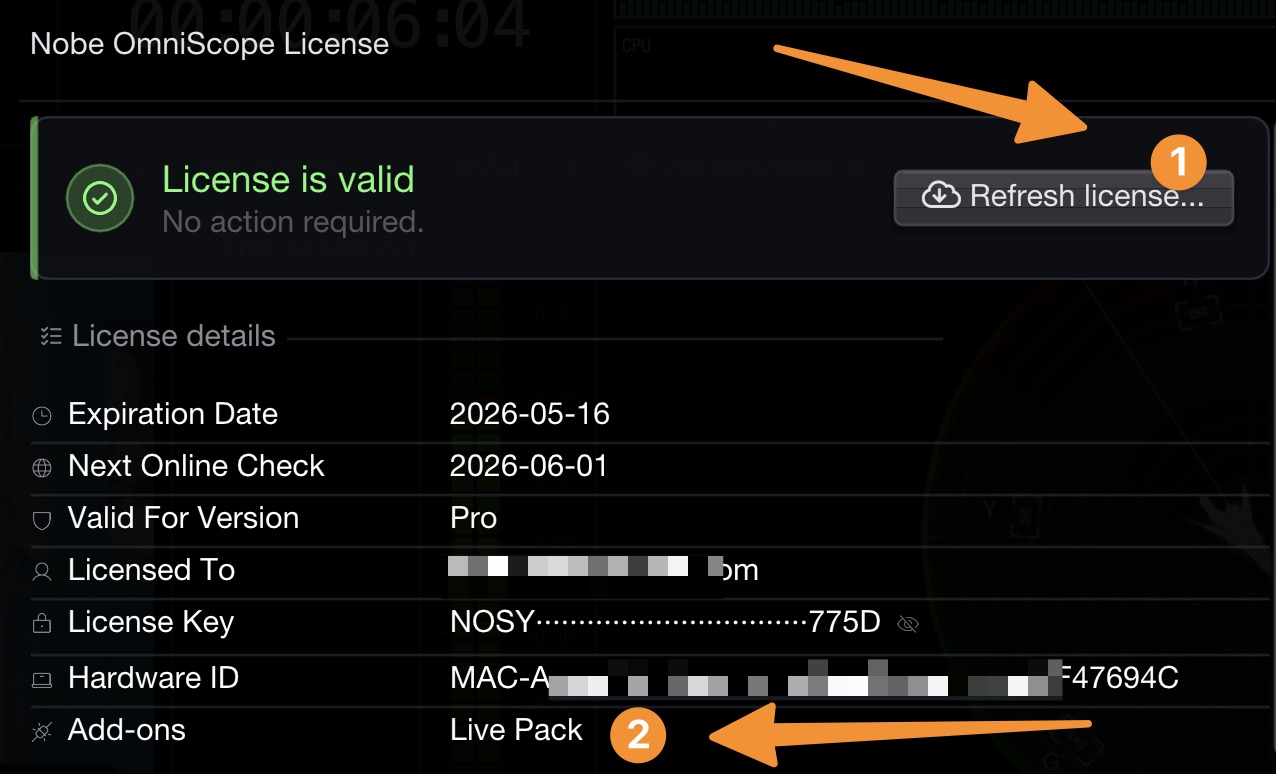
### Refresh the license
The last step is to refresh the license so that the Live Pack add-on is enabled in the application:
After application restart, all the Live Pack features should be available.
If a Livegrade input is used before Live Pack is enabled on the license, OmniScope shows an on-screen warning that reads **LIVE-PACK LICENSE REQUIRED** / **UNLICENSED LIVEGRADE INPUT**.