# Global Targets

Global targets let you add **reference overlays** to waveform, parade, and vectorscope displays at specific luma or RGB values. Use them to mark black/white levels, skin-tone ranges, broadcast limits, chart references, or any custom thresholds relevant to your project.

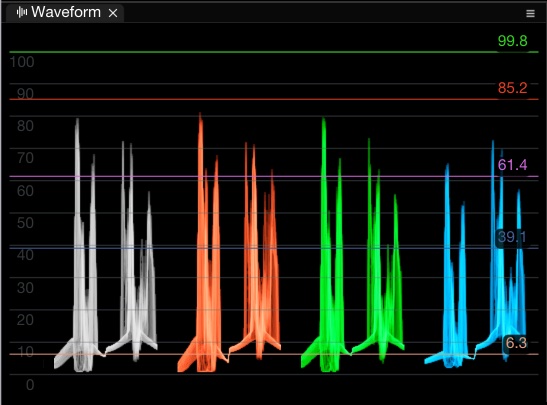
<figure><img src="/files/zBsF69zut5qkzUp0wlJt" alt=""><figcaption><p>Luma targets displayed on the Waveform scope</p></figcaption></figure>

## Opening the Targets Window

| Method       | Action                                                        |
| ------------ | ------------------------------------------------------------- |
| **Menu**     | **Options > Targets**                                         |
| **Keyboard** | **⌘T** (macOS) / **Ctrl+T** (Windows) — toggle targets on/off |

## Target Types

| Type     | Description                                                                              |
| -------- | ---------------------------------------------------------------------------------------- |
| **Luma** | Horizontal line at a specific luma level on the waveform. Displays the value as a label. |
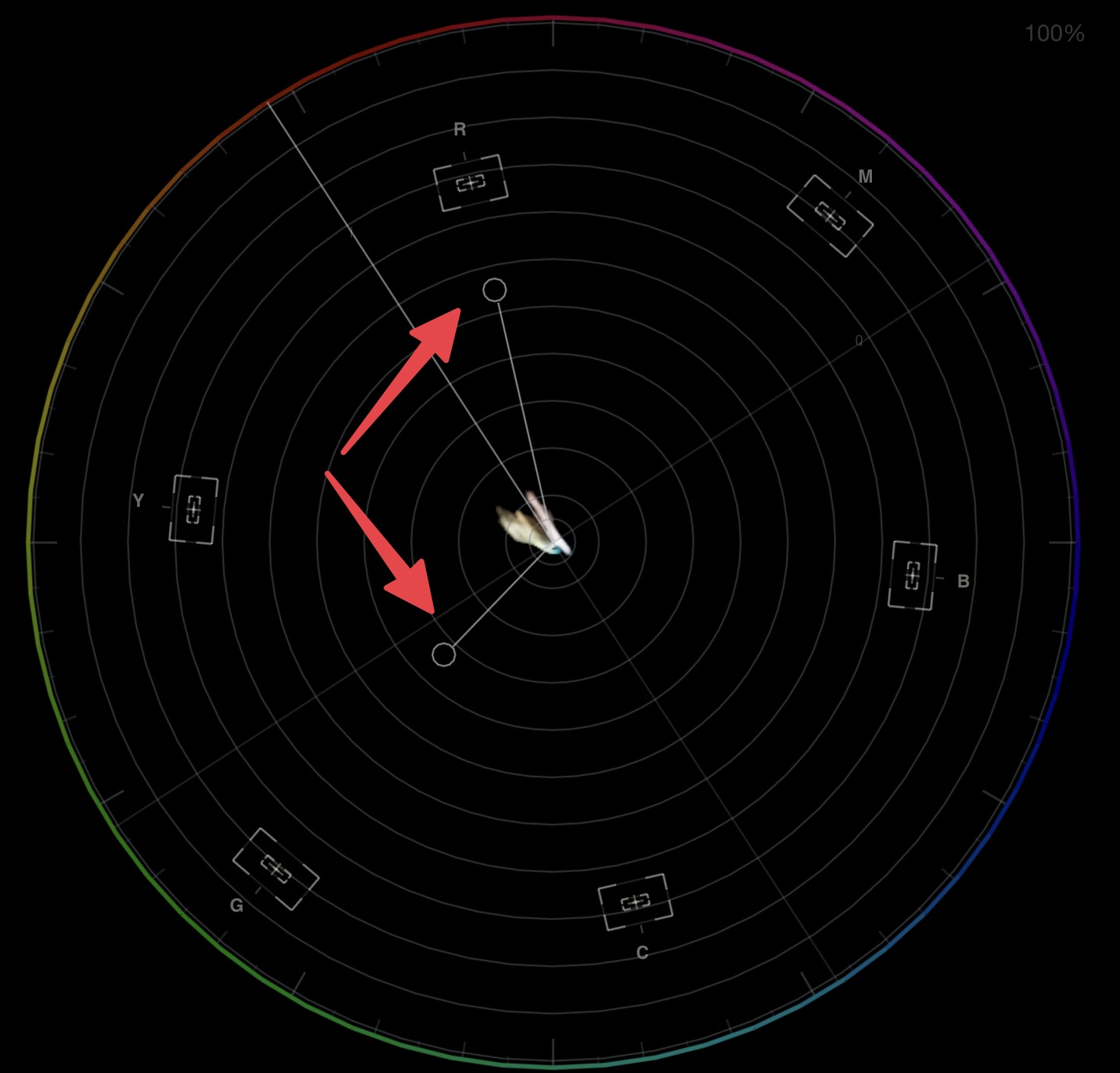
| **RGB**  | Lines at specific R, G, B values on the RGB parade or waveform.                          |

## Adding Targets

In the **Target Sets** tab:

1. Click **Add Luma Target** or **Add RGB Target**
2. Set the value using the slider or type a number
3. Optionally assign a **custom colour** to the target line
4. Toggle individual targets on or off

### Luma Targets

* Set a luma value (in the current scale — IRE, percentage, 8-bit, 10-bit, etc.)
* Each luma target displays its value as a label on the waveform
* Drag targets directly in the waveform using drag-and-drop
* Add targets from the **Color Picker** with **Alt+Ctrl+Click**

### RGB Targets

* Set individual R, G, B values
* Targets appear on the RGB Parade and waveform

## Target Sets

Target sets let you save and recall groups of targets for different projects or standards:

* **Default** uses your current global target configuration
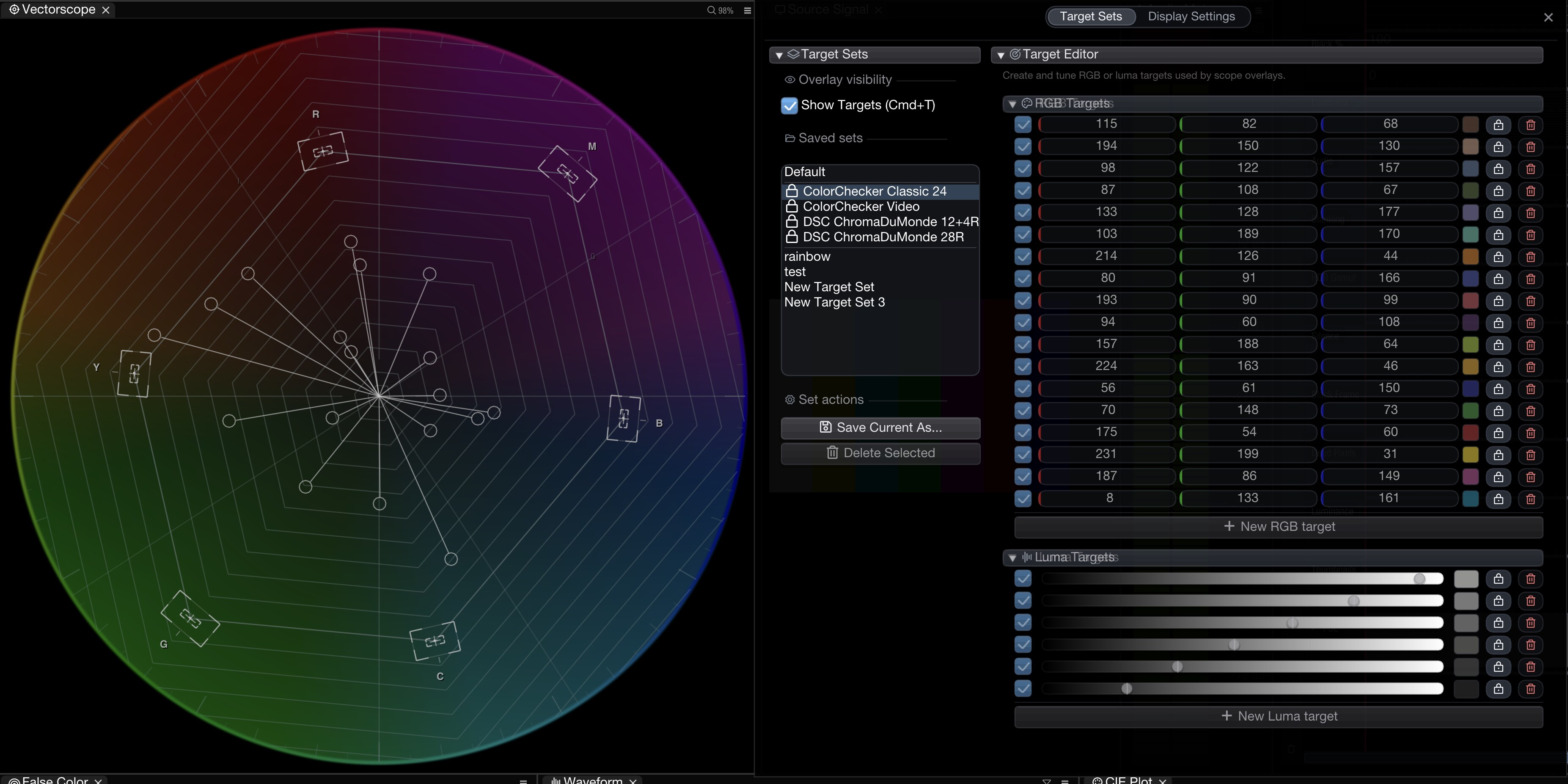
* **Built-in presets** provide ready-made chart references and are shown with a lock icon
* **Save** the current targets as a named set
* **Load** a saved set to switch between configurations quickly
* **Delete** sets you no longer need

This is useful when switching between projects with different level requirements (e.g. broadcast vs. web delivery, SDR vs. HDR).

### Built-in Presets

{% hint style="info" %}
Available from version **1.11.45**.
{% endhint %}

Built-in presets are read-only reference sets: select one to load its targets, then use **Save Current As...** if you want to make an editable copy.

<figure><img src="/files/usLQJVAwk1uwiicVaqDp" alt=""><figcaption><p>Built-in target set presets appear at the top of the Target Sets list with a lock icon</p></figcaption></figure>

Available presets include:

| Preset                      | Includes                                                                        |
| --------------------------- | ------------------------------------------------------------------------------- |
| **ColorChecker Classic 24** | 18 RGB colour patches plus 6 luma targets for the neutral ramp                  |
| **ColorChecker Video**      | Skin-tone references, 75% Rec.709 colour targets, and a 6-step luma ramp        |
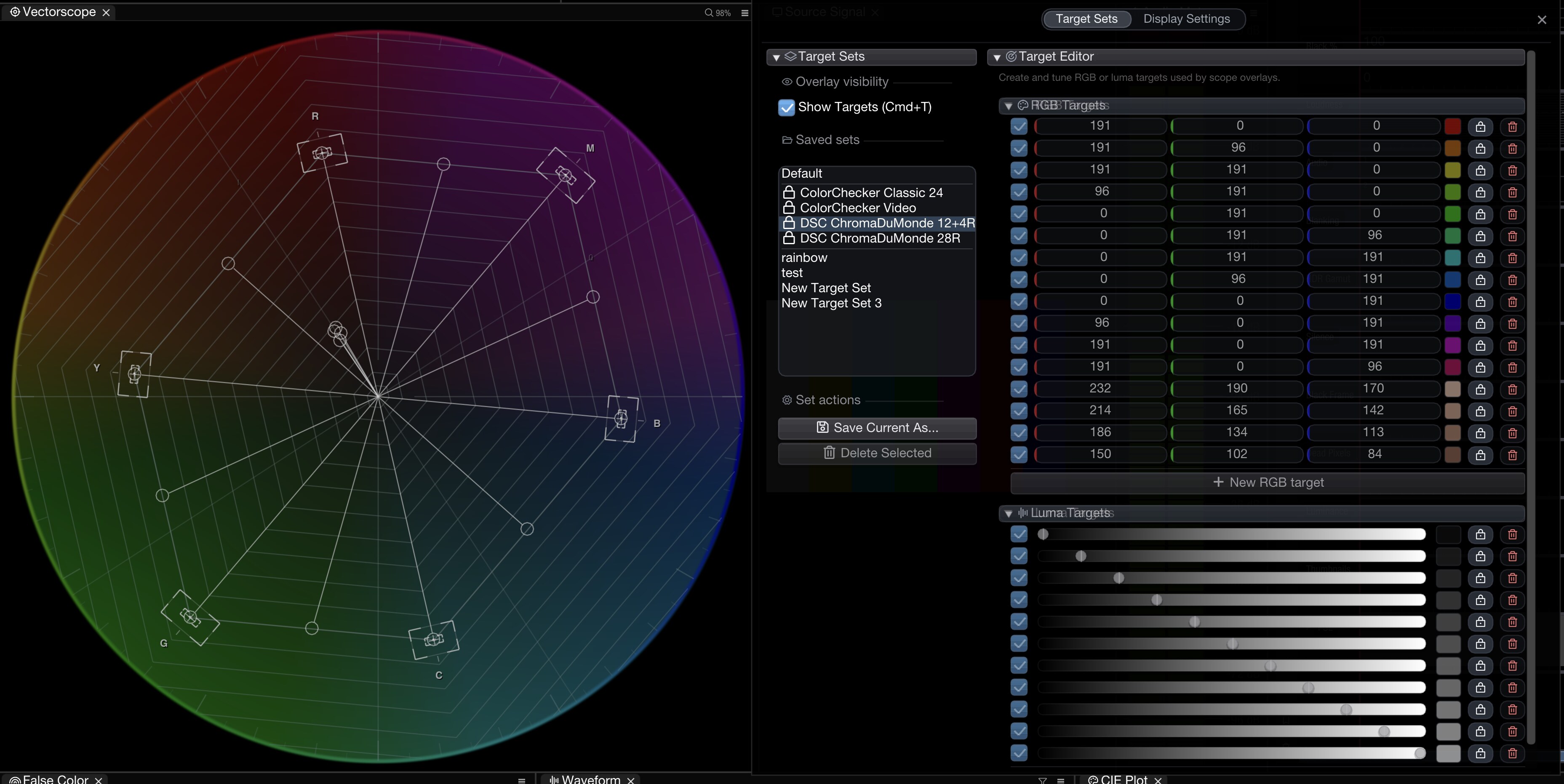
| **DSC ChromaDuMonde 12+4R** | 12 vectorscope colour targets, 4 skin-tone references, and an 11-step luma ramp |
| **DSC ChromaDuMonde 28R**   | 24 vectorscope colour targets, 4 skin-tone references, and an 11-step luma ramp |

The ChromaDuMonde presets place the colour targets around the Rec.709 vectorscope positions and put the grayscale chips on the waveform as luma targets.

<figure><img src="/files/XsrXRsNwjTMMTtyhf0wO" alt=""><figcaption><p>DSC ChromaDuMonde target preset shown on the Vectorscope with waveform luma targets in the Targets window</p></figcaption></figure>

<figure><img src="/files/nobodghI73rALBQjOXzh" alt=""><figcaption><p>RGB targets visible on the Vectorscope</p></figcaption></figure>

## Lock Controls

Individual targets can be **locked** to prevent accidental edits. When a target is locked:

* Its value cannot be changed via drag or direct edit in the UI.
* The target remains visible and active for reference.
* Unlock from the target row to resume editing.

This is useful when you have calibrated reference levels you want to protect while still adjusting other targets.

## Display Settings

The **Display Settings** tab controls how targets appear across all scopes:

| Setting                       | Description                                            |
| ----------------------------- | ------------------------------------------------------ |
| **RGB target overlay colour** | Colour used for RGB target lines                       |
| **Target thickness**          | Line thickness (1–5 pixels)                            |
| **Show labels**               | Display value labels next to target lines              |
| **Use small font for label**  | Use a compact font for target labels to reduce clutter |

## Keyboard Shortcuts

| macOS | Windows | Action                       |
| ----- | ------- | ---------------------------- |
| ⌘T    | Ctrl+T  | Toggle global targets on/off |

## StreamDeck / Action Editor

Targets can also be controlled via the [Action Editor](/nobe-omniscope/action-editor.md) or [StreamDeck](/nobe-omniscope/streamdeck/available-actions.md):

* **Toggle global targets** — enable or disable all targets
* **Toggle global RGB target by index** — toggle a specific RGB target
* **Toggle global Luma target by index** — toggle a specific Luma target

## Related

* [Waveform](/nobe-omniscope/scopes/waveform.md)
* [Keyboard Shortcuts](/nobe-omniscope/settings-and-preferences/keyboard-shortcuts.md)
* [Available Actions](/nobe-omniscope/streamdeck/available-actions.md)


---

# Agent Instructions: Querying This Documentation

If you need additional information that is not directly available in this page, you can query the documentation dynamically by asking a question.

Perform an HTTP GET request on the current page URL with the `ask` query parameter:

```
GET https://docs.timeinpixels.com/nobe-omniscope/features/global-targets.md?ask=<question>
```

The question should be specific, self-contained, and written in natural language.
The response will contain a direct answer to the question and relevant excerpts and sources from the documentation.

Use this mechanism when the answer is not explicitly present in the current page, you need clarification or additional context, or you want to retrieve related documentation sections.