> For the complete documentation index, see [llms.txt](https://docs.timeinpixels.com/llms.txt). Markdown versions of documentation pages are available by appending `.md` to page URLs; this page is available as [Markdown](https://docs.timeinpixels.com/nobe-lutbake/license.md).
# License
License activation and management
## Overview
A Nobe LutBake license covers **1 seat** (one Mac at a time). You can deactivate the license on one machine and activate it on another whenever you need to move it.
Without a license, the app runs in **demo mode** — fully functional but limited to **17x17x17 LUT export**. All other features (keyboard shortcut, file naming, DRX export, etc.) work without restriction.
## Activating Your License
After purchasing, you will receive an email with your **license key**. To activate:
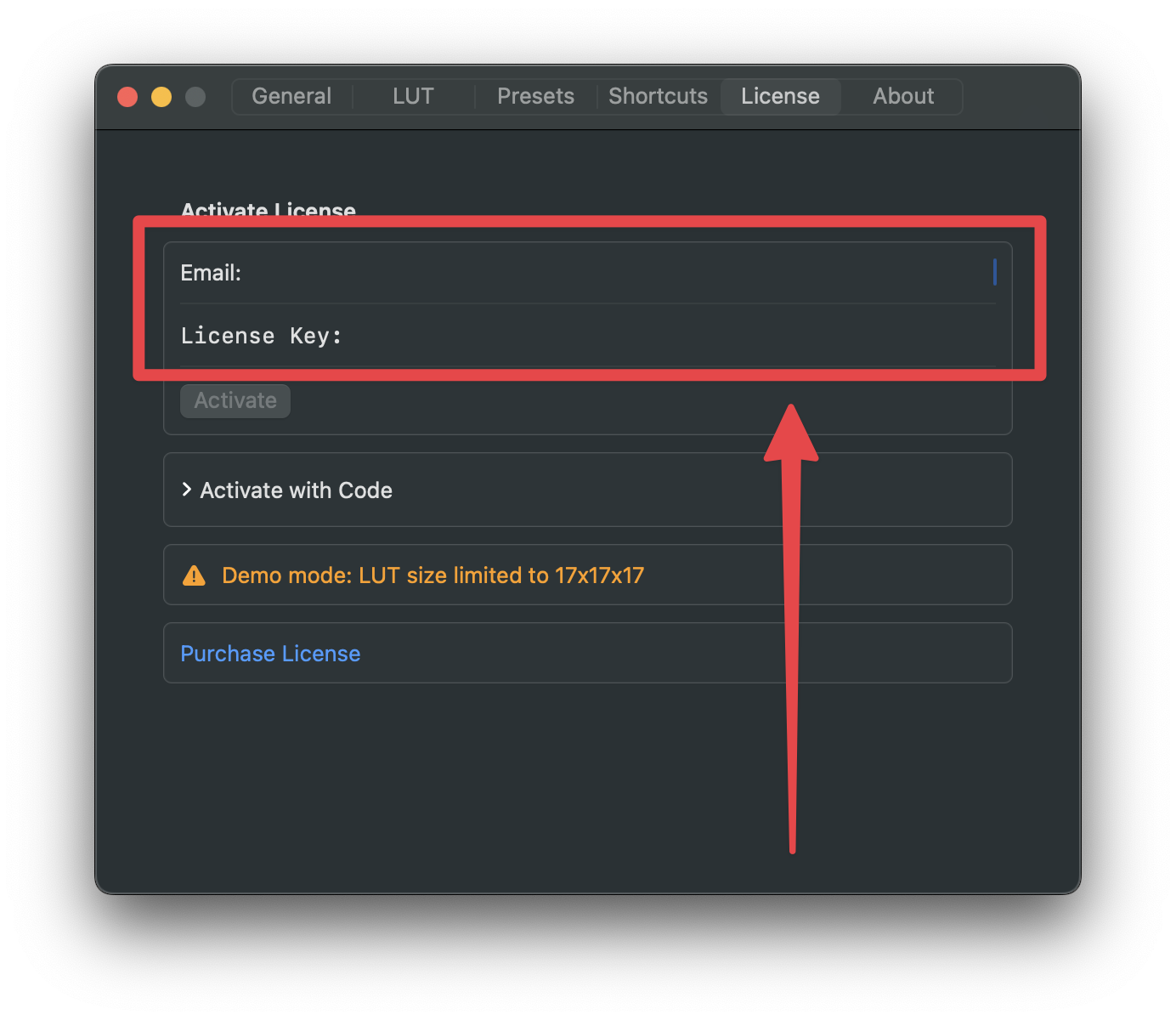
1. Open Nobe LutBake and go to **Settings → License**.
2. Enter your **Email** and **License Key**.
3. Click **Activate**.
Enter your email and license key to activate
{% hint style="success" %}
After activation, **restart DaVinci Resolve** so the OFX plugin loads with the active license. The menu bar app picks up the license immediately, but the plugin needs a Resolve restart.
{% endhint %}
## Activate with Code (Offline / Firewall)
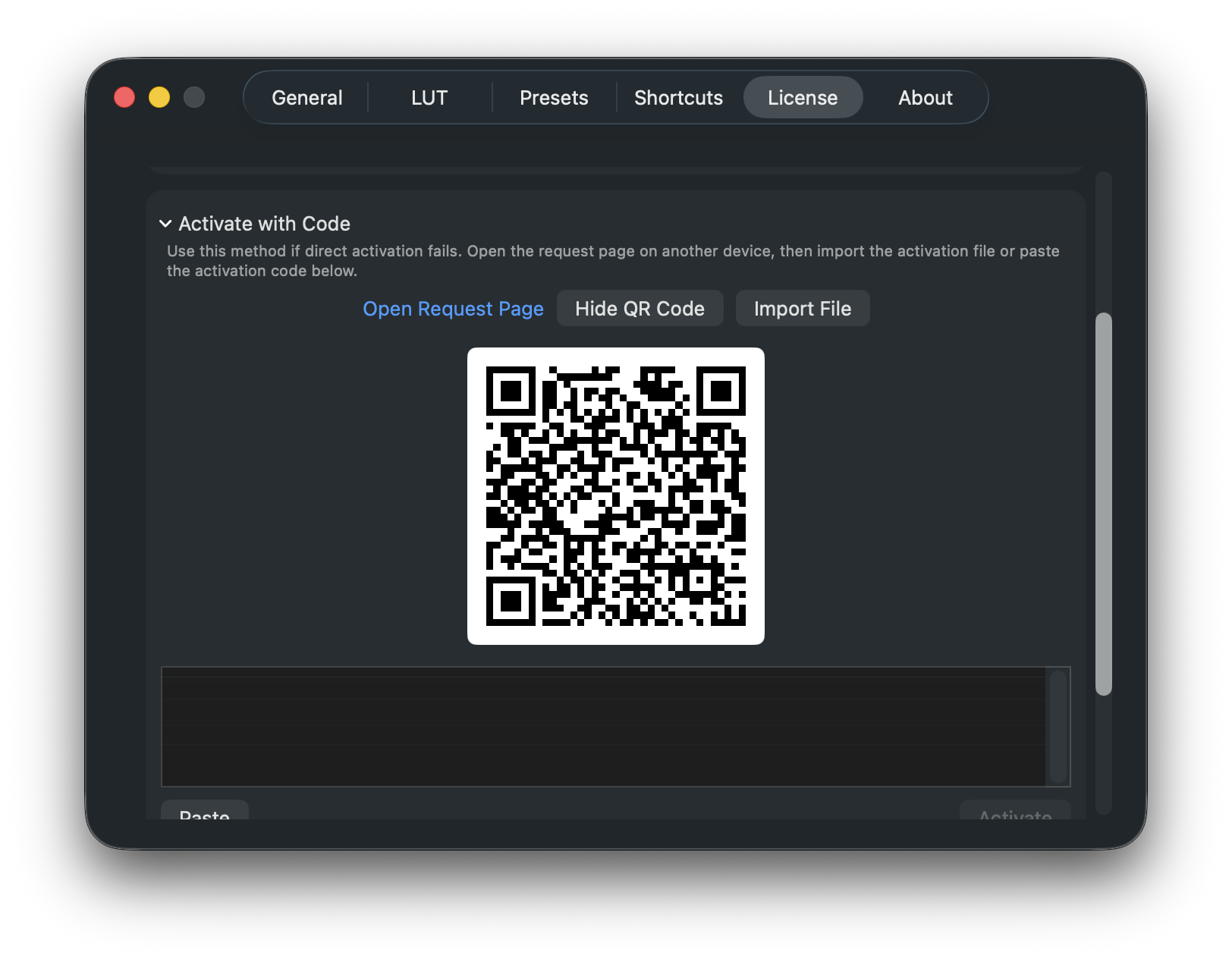
If direct activation fails — for example due to a firewall or proxy, or because the machine has no internet access — expand **Activate with Code** in the License tab. You complete the request on a second, internet‑connected device (a phone is enough) and bring the result back to the app.
Activate with Code: request a file or code on another device, then import or paste it
The request page already includes this machine's Hardware ID, so there is nothing to copy by hand. Open it on your internet‑connected device in one of these ways:
* **Show QR Code** — scan the QR code with your phone's camera to open the request page directly.
* **Open Request Page** — open the page in a browser on the current machine (useful if it has limited or proxied internet access).
On the request page, enter your **Email** and **License Key**. You can then activate in either of two ways:
* **Import a file** — download the **activation file**, transfer it to this Mac, then click **Import File** and select it.
* **Paste a code** — copy the **activation code** shown on the page, paste it into the text field in the app, and click **Activate**.
## Activated License
Once activated, the License tab shows your license status, email, and a masked license key.
License activated successfully
## Deactivating Your License
To move your license to a different Mac:
1. Open **Settings → License**.
2. Click **Deactivate License**.
3. The seat is released and can be activated on another machine.
{% hint style="info" %}
Deactivation requires an internet connection. After deactivating, the app returns to demo mode (17x17x17 LUT limit).
{% endhint %}
## FAQ
**How many machines can I use the license on?** One at a time. Deactivate on one Mac, then activate on another.
**Do I need to be online to use Nobe LutBake after activation?** No. An internet connection is only needed for activation and deactivation. Once activated, the app and plugin work offline.
**What happens if my license key doesn't work?** Make sure you're using the email address associated with your purchase. If you continue to have issues, contact support at .